AI customer engagement platform · Available for implementation
NOA Hub
Turn every website conversation into a useful business outcome.
NOA Hub brings specialized AI agents, customer context and human support together so teams can answer, qualify, book and follow up from one place.
Visit NOA Hub website- Designed for
- Customer conversations and lead capture
- Connects
- AI agents, CRM and human teams
- Works across
- Support, sales and booking workflows
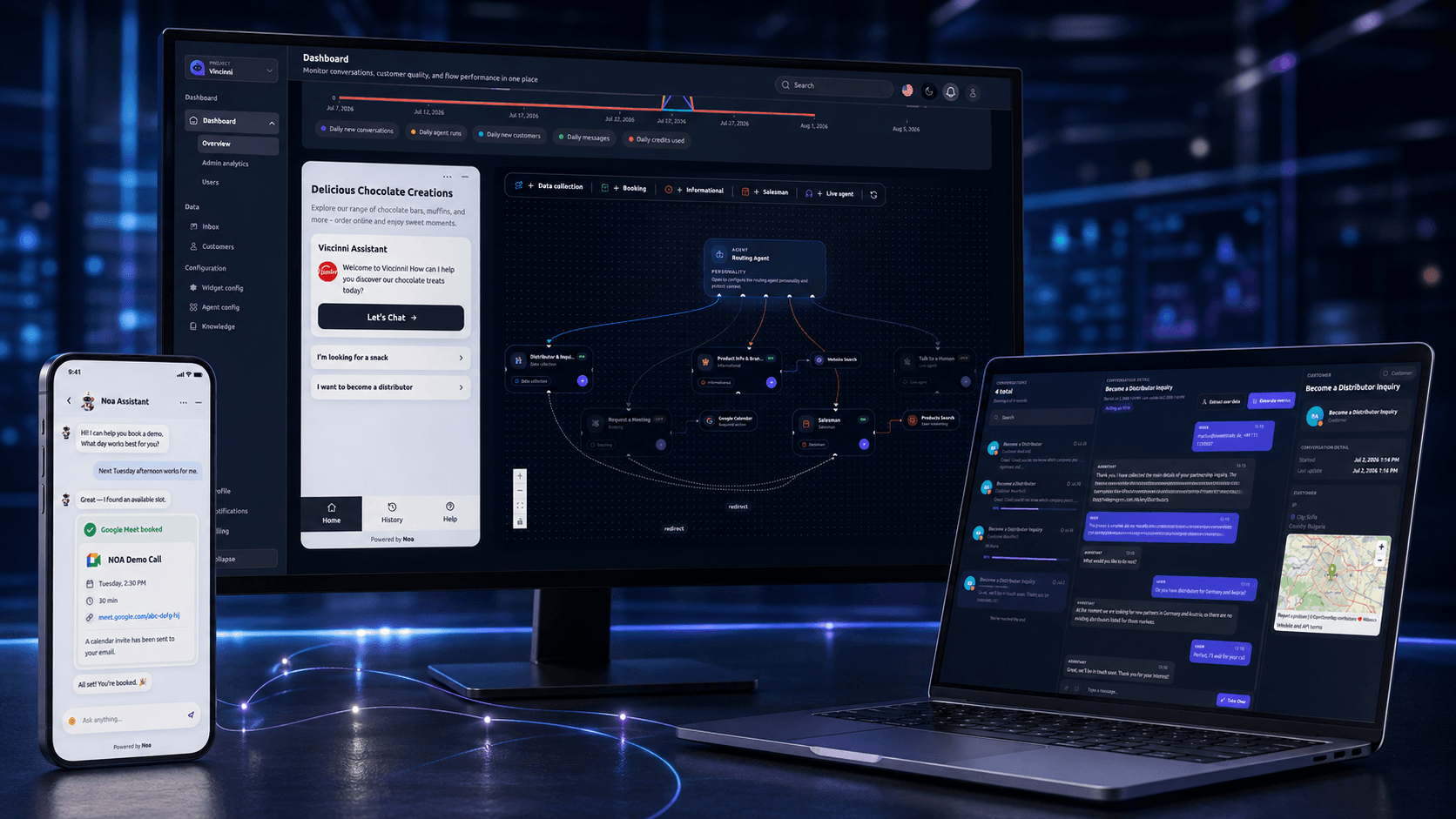
What NOA Hub helps your business achieve
Respond faster without separating customer conversations from the work that follows.
Capture better customer context
Collect details naturally during the conversation and keep them in a structured customer record.
Complete actions in chat
Qualify leads, schedule consultations and trigger the right follow-up without unnecessary forms.
Keep human support in control
Transfer complex conversations with their full history, intent and collected information.
Built for teams that need every conversation to move forward
NOA Hub suits businesses that want AI to do more than answer frequently asked questions. It connects customer requests to the people, records and workflows needed to resolve them.
A strong fit for
- Businesses handling recurring website enquiries
- Teams that book consultations or appointments
- Companies that need connected lead and customer data
- Support teams that need controlled human takeover
How NOA Hub works
- 01
Understand the request
A routing agent identifies what the customer needs and directs the conversation to the appropriate capability.
- 02
Answer or collect information
Specialized agents use business knowledge, ask relevant questions and record the required details.
- 03
Complete the next action
The platform can create a lead, book a meeting, notify the team or update the customer record.
- 04
Bring in a person when needed
Employees can take over in the same conversation with the full context already available.
A coordinated team of AI agents
Configure agents for support, qualification, booking and data collection, then connect them through a visual workflow.
A routing agent directs each request to the right capability while your team retains a clear view of what happened.
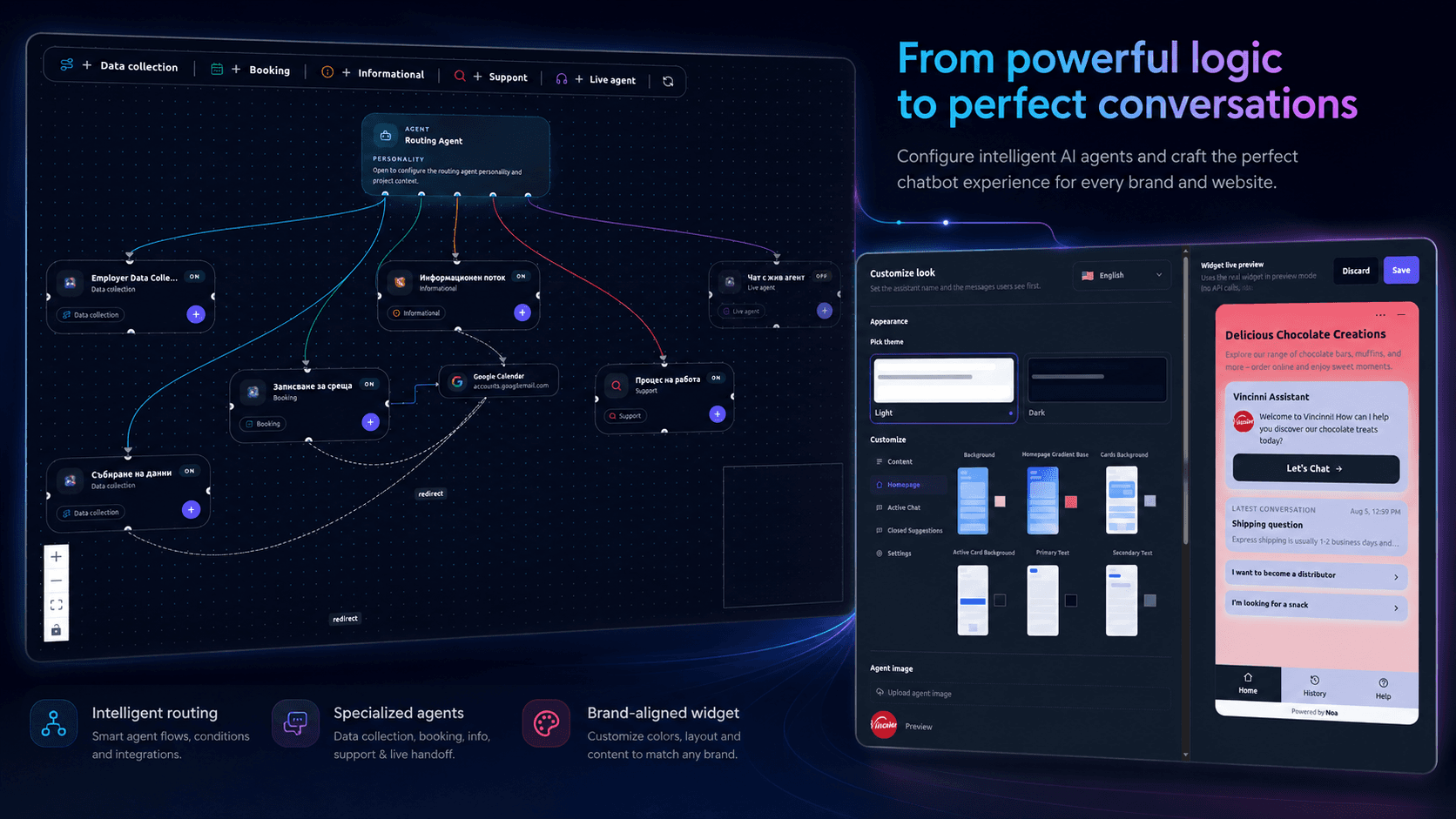
Core capabilities
Customer conversations
- AI-powered conversations
- Knowledge-based answers
- Multilingual customer interactions
Customer operations
- Centralized support inbox
- Customer and lead management
- Appointment booking
Control and improvement
- Human takeover
- Workflow automation
- Conversation and performance analytics
Turn conversations into structured CRM data
NOA can capture contact details, company information, intent, project requirements and custom fields naturally throughout a conversation.
Each interaction updates the customer profile and preserves the history your team needs for a useful follow-up.
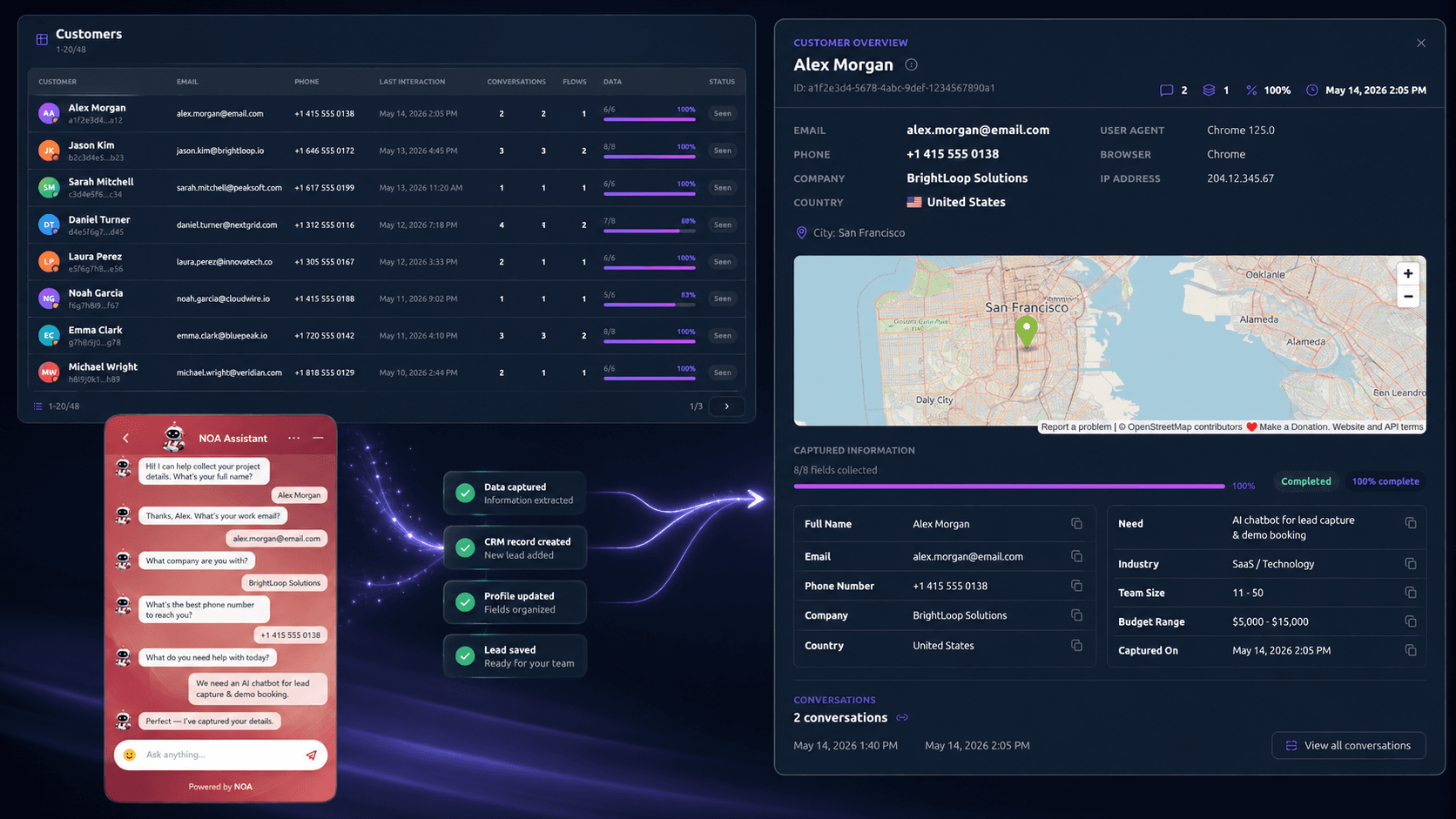
Seamless AI-to-human takeover
When personal assistance is needed, NOA alerts the right employee and transfers the conversation without making the customer repeat themselves.
The human advisor can see the conversation, customer details, identified intent and completed actions before responding.
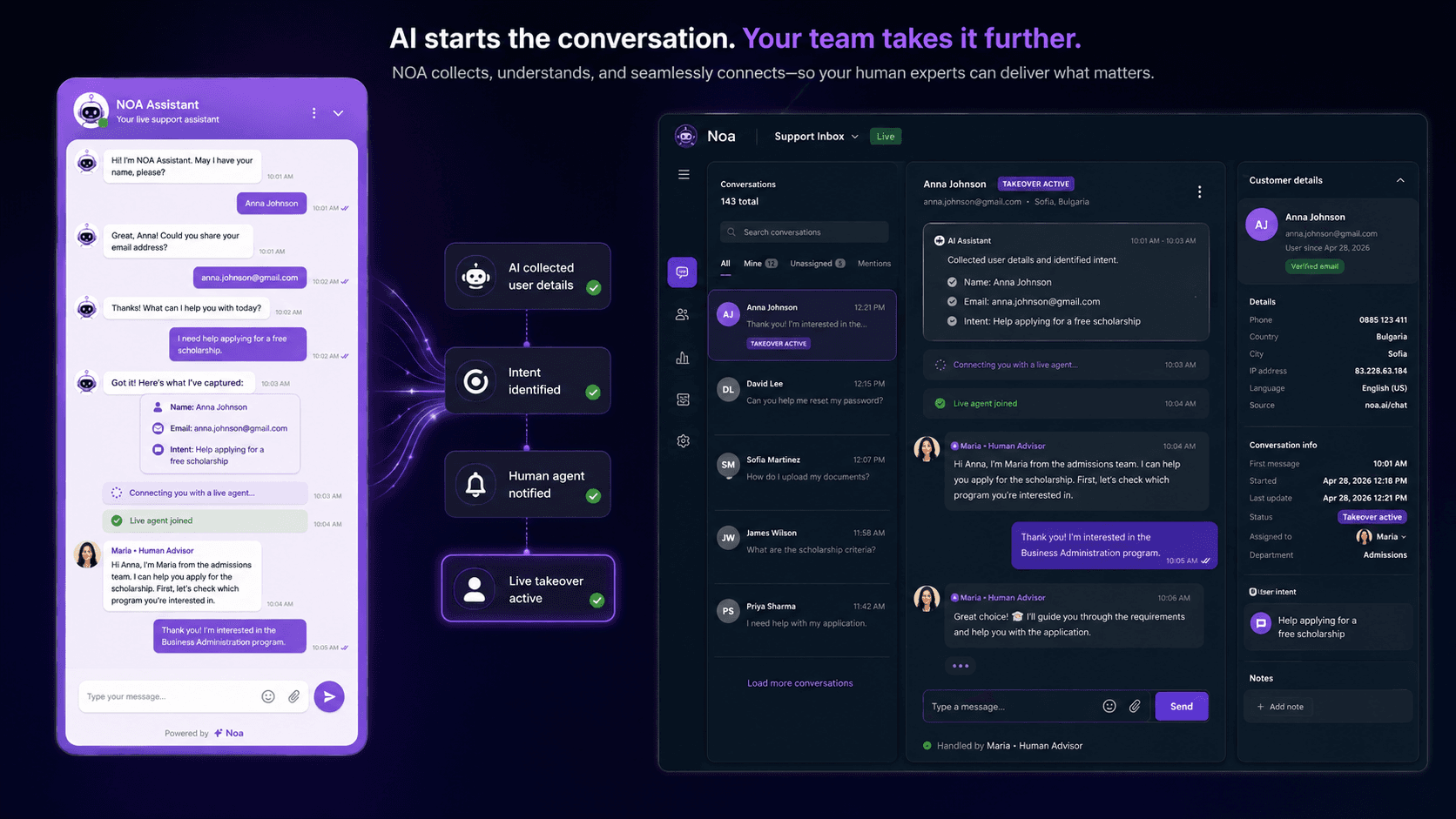
Works with your business workflows
- Company websites and customer-facing widgets
- CRM records and custom customer fields
- Booking and calendar workflows
- Email notifications and team routing
- Business knowledge, documents and REST APIs
Control, knowledge and human oversight
Business-specific knowledge
Answers can be configured around selected company information, documents and website content.
Controlled workflows
Agent behaviour, data collection and escalation paths are configured for your operational needs.
Human support remains available
Teams can take over conversations when a request needs judgement or personal assistance.
Technology foundation
A production stack for AI conversations, reliable workflows, retrieval and scalable data services.
Frontend
Next.js
Customer and team-facing web application
DaisyUI
Component library for consistent interface delivery
Backend and data
Django REST Framework
Backend APIs and business workflows
Python
AI and application services
PostgreSQL
Customer, conversation and operational data
Redis
Fast caching and background workload support
AI and retrieval
Groq
AI model inference
LangGraph
Agent and workflow orchestration
OpenAI embeddings
Vector embeddings for knowledge retrieval
Pinecone
Vector database for the RAG system
Hosting
AWS
Backend infrastructure and services
Vercel
Frontend hosting and delivery
Frequently asked questions
Can NOA Hub use our existing website content?
Yes. Selected website content, documents, policies and frequently asked questions can be configured as business knowledge.
Can a human employee take over a conversation?
Yes. A conversation can be routed or assigned to a team member while preserving its context and collected information.
Can NOA Hub book consultations?
Yes. Booking can be configured as part of a conversation workflow when the required calendar or scheduling process is available.
Can it collect custom lead information?
Yes. Conversation workflows can capture fields such as contact details, company, service interest, location, budget or project requirements.
Related products
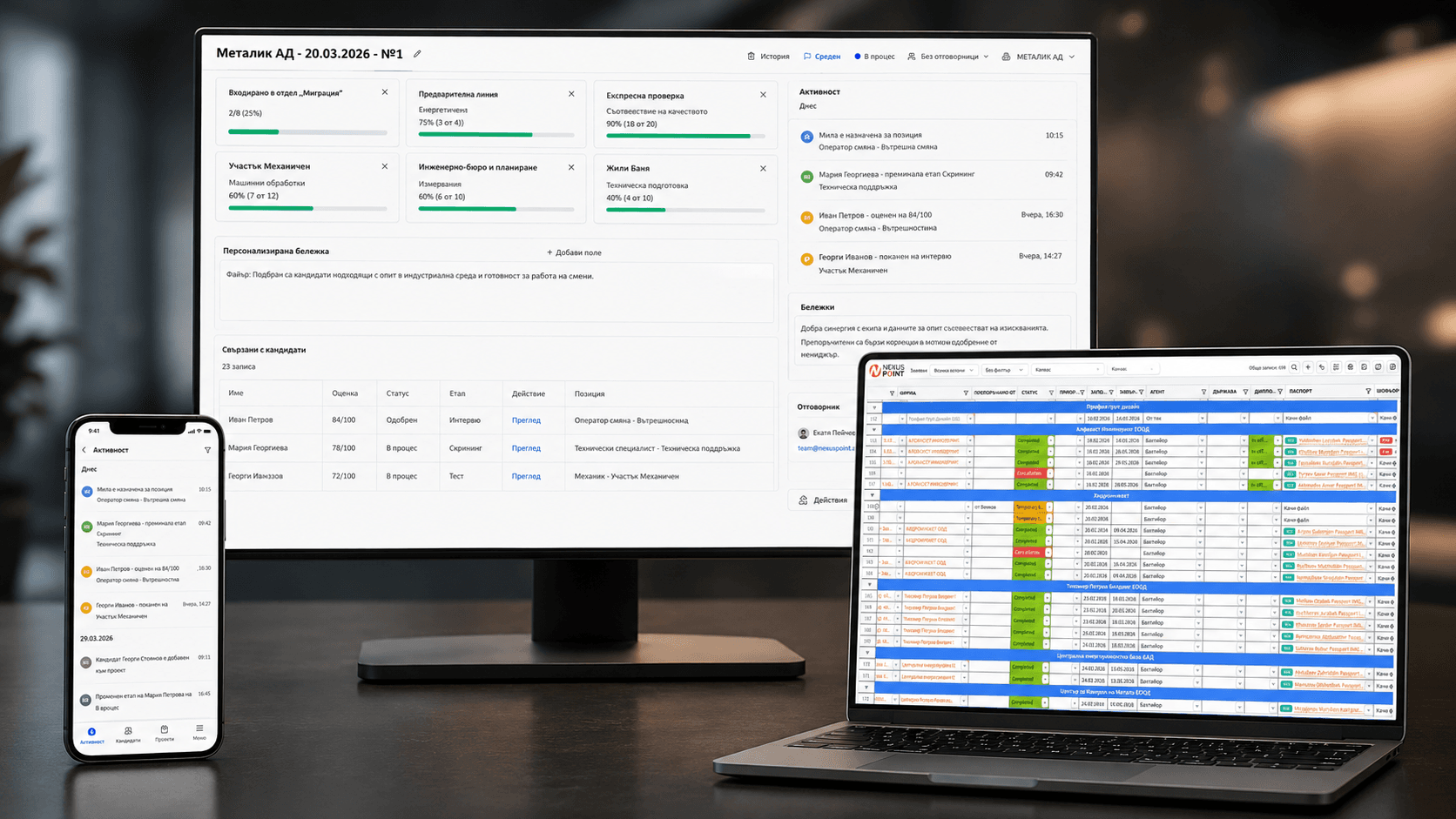
Custom recruitment operations platform
Explore Nexus Point Recruitment Operations Platform
A connected system for clients, candidates, documents, communication and recruitment workflows.
Synergy Solutions
Need AI conversations connected to your business workflows?
Tell us how customers contact you today and what should happen after the first message. We will recommend a practical next step.
Discuss your use case